
Streamline your recruitment process by tracking applicants on Idealist.
You can enable applicant tracking in the How to Apply section of your listing. When this option is enabled on a job, internship, or volunteer listing, administrators can easily:
- Track the number of views and applications for your listing
- View and download application materials submitted by applicants
- Organize applications internally by updating their status
- Add applicants from other sources to streamline your recruitment process
- Contact applicants through tailored auto-replies based on application status
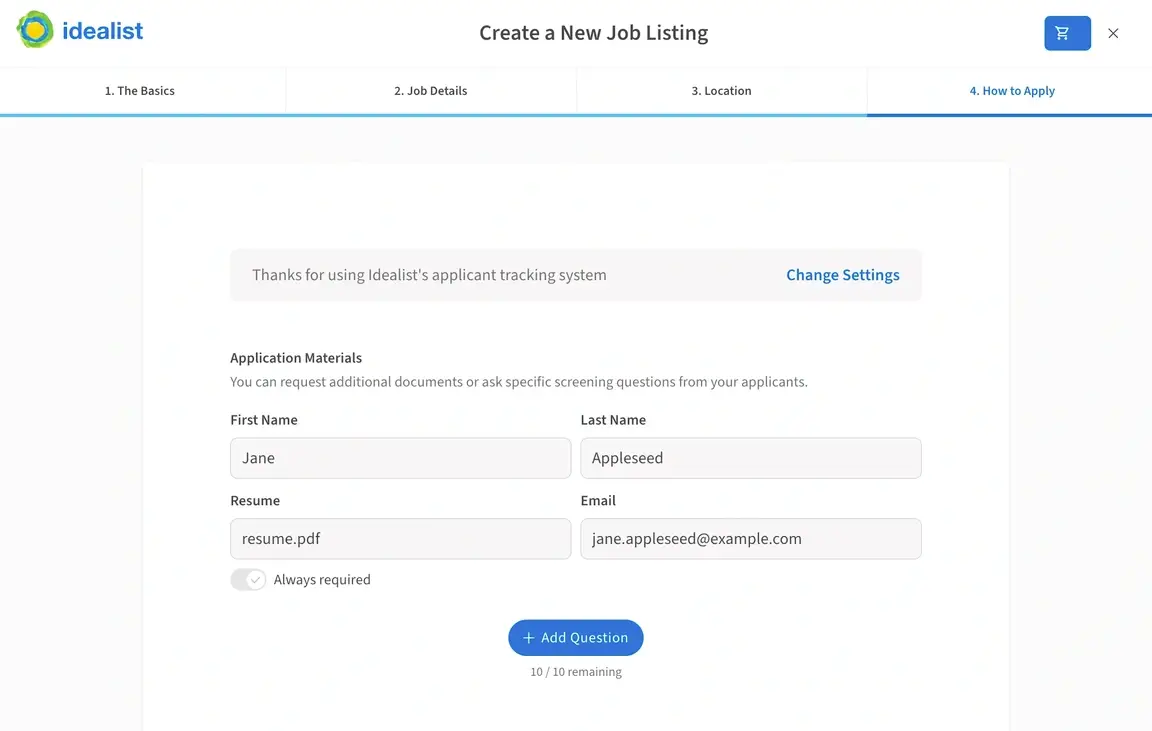
When applicant tracking is enabled, your listing will direct candidates to submit their application materials through Idealist. You can choose to request:
- Resume *This is a default requirement for jobs and internships
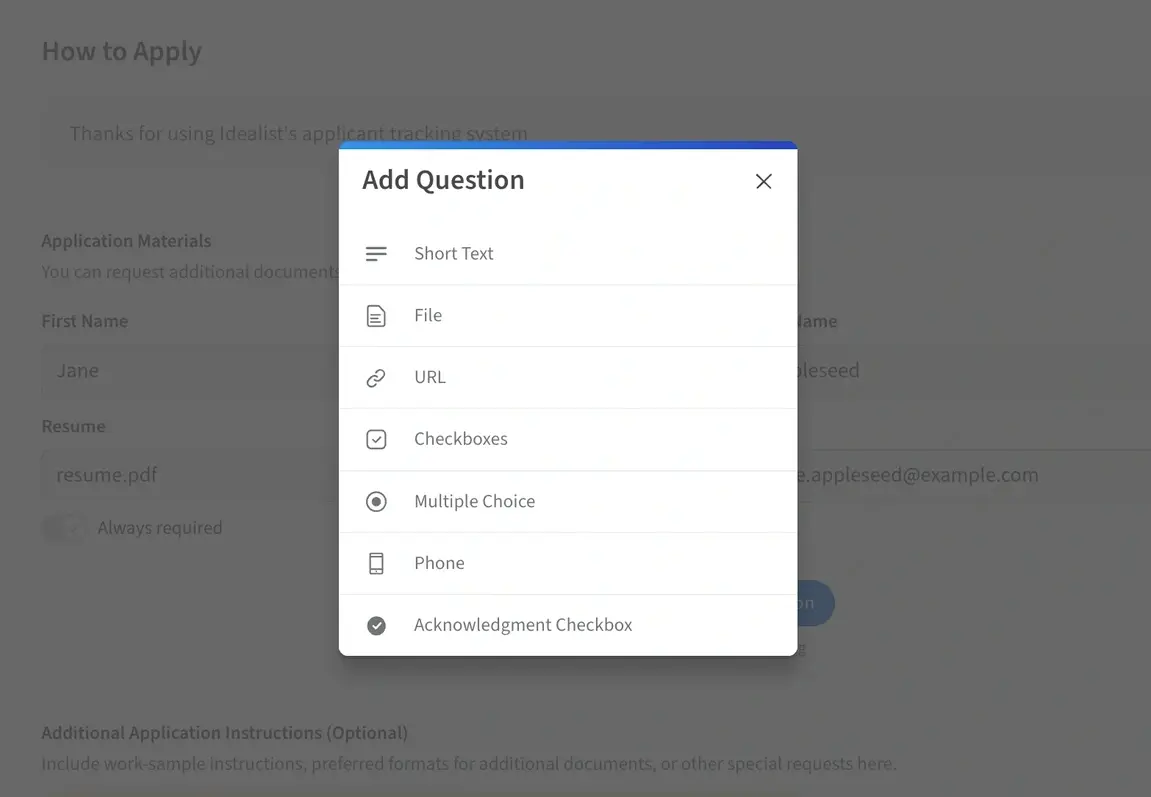
- Short text: Allows you to add custom questions for applicants to answer.
- File: Allows you to request documents, like a Resume or Cover Letter.
- URL: Allows you to request a portfolio link or other URLs from applicants.
- Checkbox Responses
- Answers to Multiple Choice Questions
- Phone Number
- Acknowledgement Checkbox
To add application requirements, navigate to the How to Apply section and click "+Add Question."
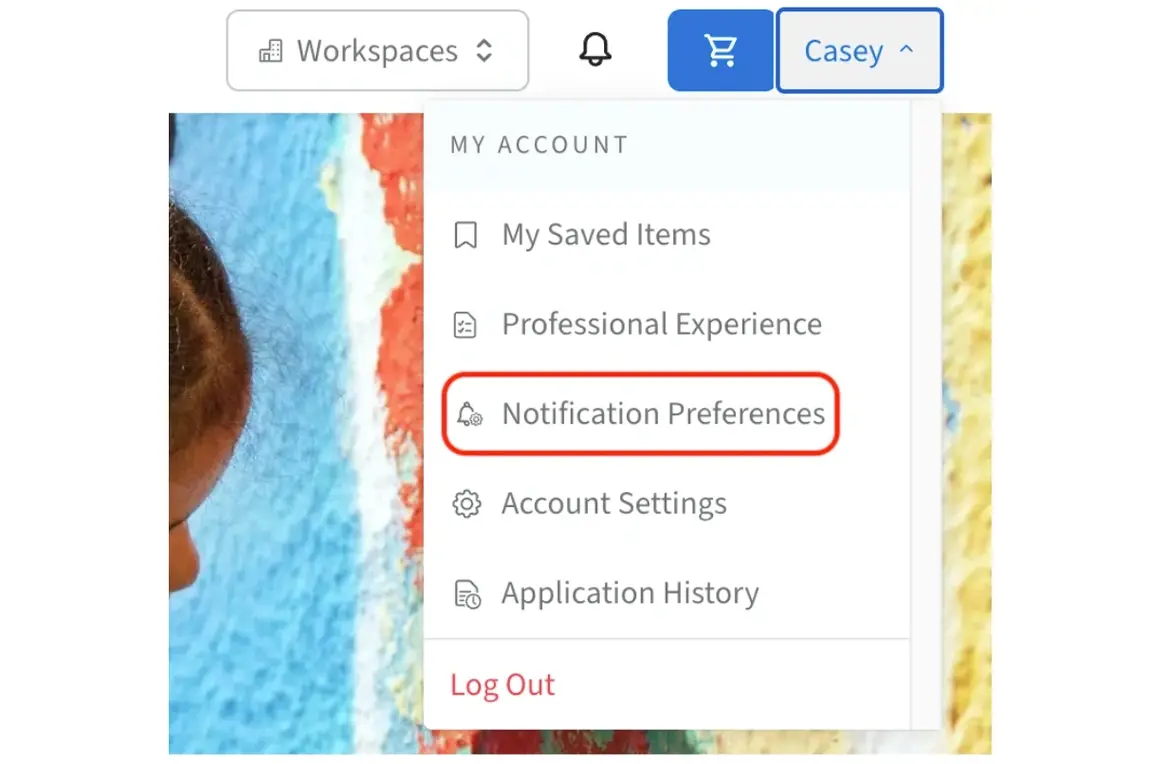
Administrators of the account can view applications at any time through the Manage Listings section of your organization’s Dashboard. If you’d also like to receive alerts via email when new applications are submitted, click your name in the upper right corner of any page and select "Notification Preferences" from the dropdown menu.
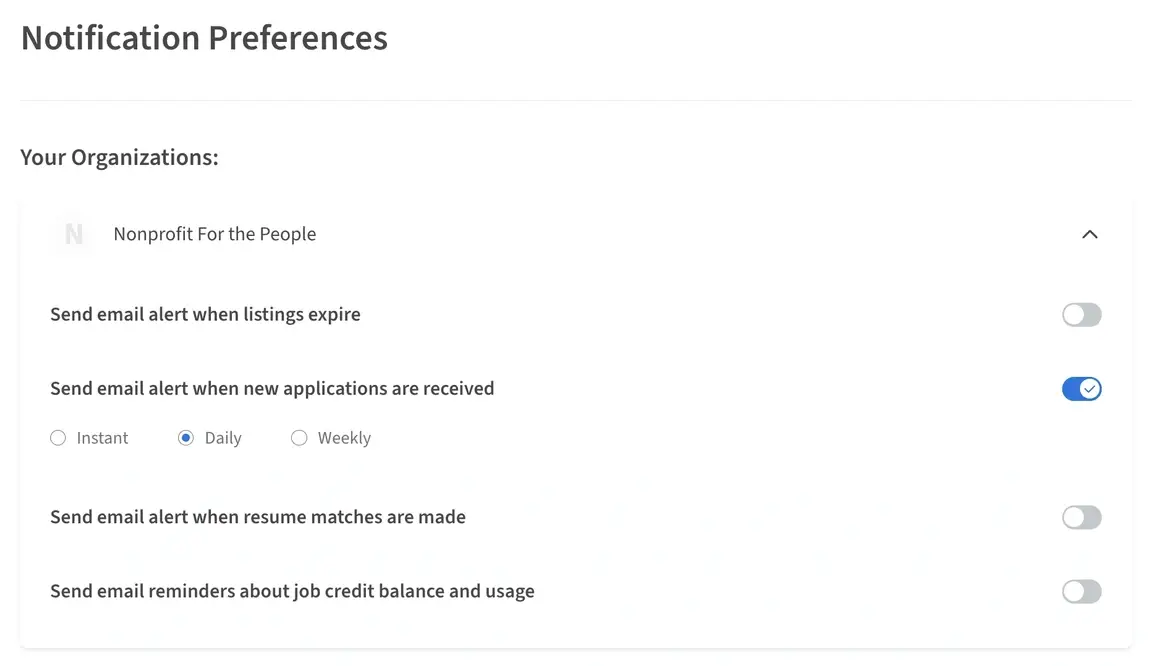
Click the down arrow next to your organization's name to expand your notification options. Here, administrators can adjust a variety of settings, including notifications for when new applications are received. Choose your preferred notification frequency: Instant, Daily, Weekly, or not at all.
Adjustments here will change your notification preferences, but won't affect the notifications of any other administrators.
Visit our other articles for more information on managing notifications and assigning contacts for volunteer listings.
For more information on how to use applicant tracking, check out our other Help Desk articles:
- How can I enable applicant tracking in my listing?
- How do I view and contact applicants using Idealist?
- How do I change the application requirements in my volunteer listing?
Still have questions about applicant tracking? Contact us—we’re here to help!