

How do I enable the Idealist Applicant Tracker?

Track applicants through Idealist by enabling our Applicant Tracker in your listing!
To enable the Applicant Tracker, select “Yes, use Idealist to track applicants” in the "How to Apply" section of your job, internship, or volunteer listing.
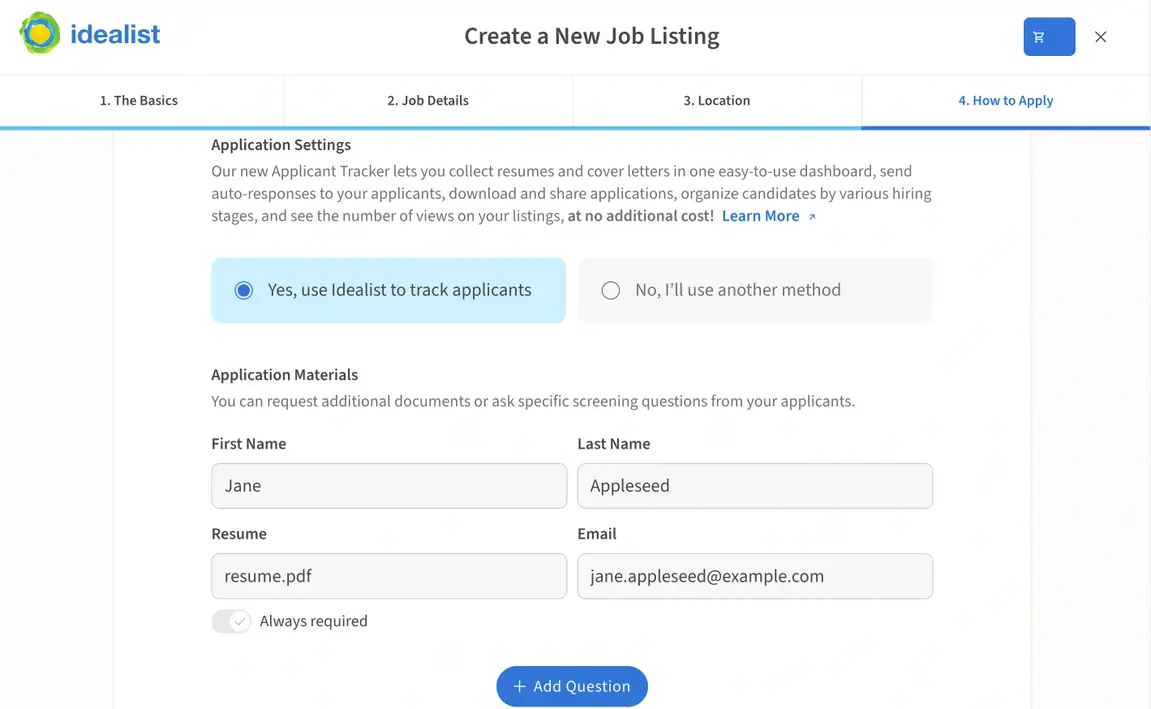
You can also adjust your Applicant Tracker settings on an existing listing by heading to the How to Apply section and clicking "Change Settings."
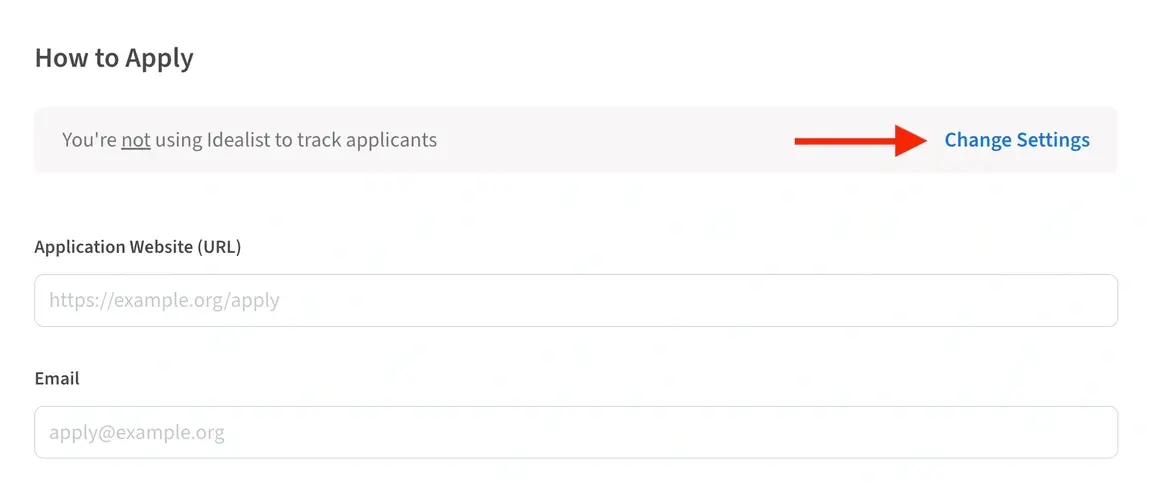
If you decide not to enable the Applicant Tracker, you'll direct candidates to apply to you directly via email or an external website instead of through Idealist. *Please note that in this case, you won't have access to listing views unless you purchase an Idealist Annual Membership.
Learn more about our Applicant Tracker and take a look at our other articles to find out how the Applicant Tracker works and how to view applications.
Have additional questions or comments? Contact us and let us know!
