

How do I change the application requirements in my volunteer listing?

Volunteer listings with applicant tracking enabled require a Name and Email Address by default.
You can choose to request additional information by adding requirements in the How to Apply section of your listing.
To request additional information from volunteers expressing interest, head to the "Screening Questions & Materials" section and click "+Add Question" which will allow you to add custom screening questions or request documents. You can make these selections during the posting process or by editing your published listing.
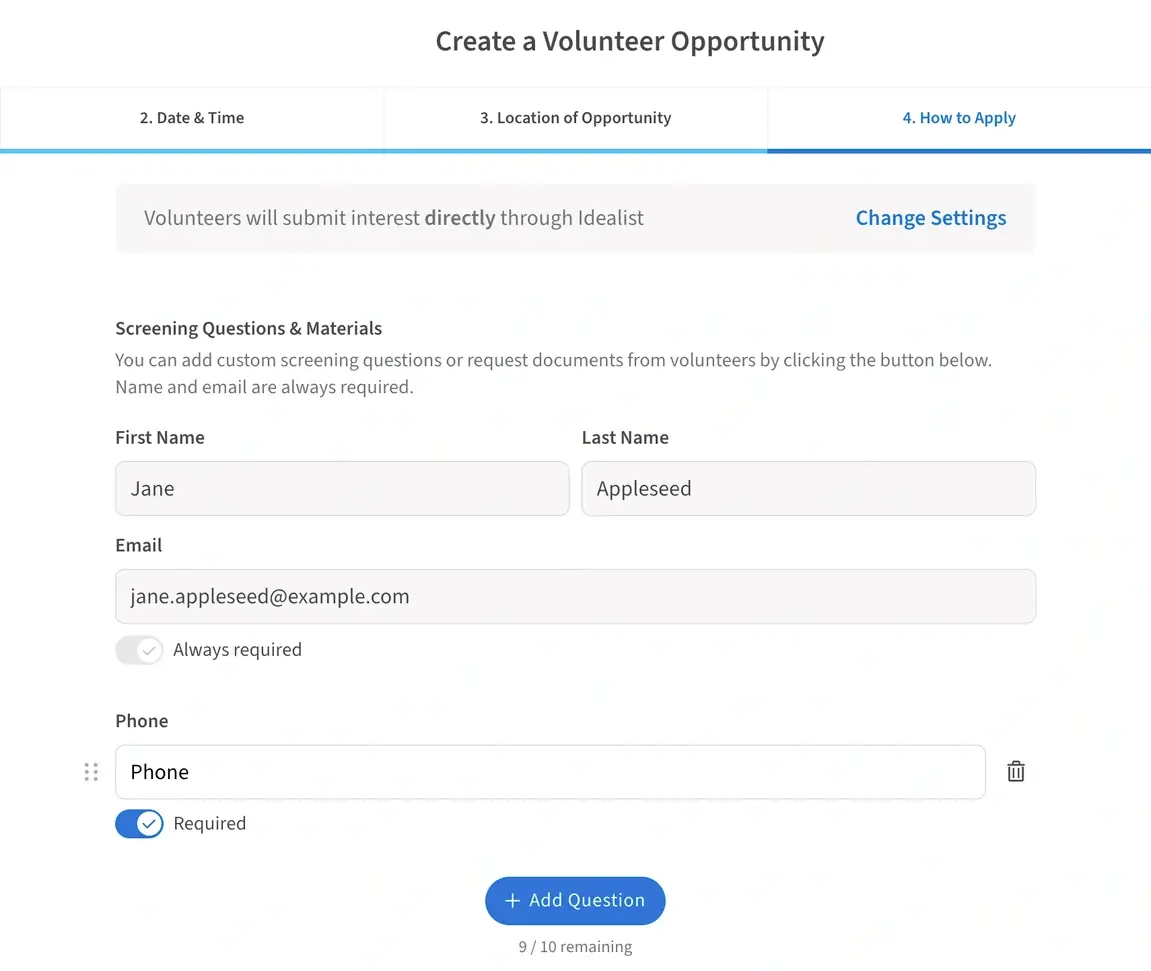
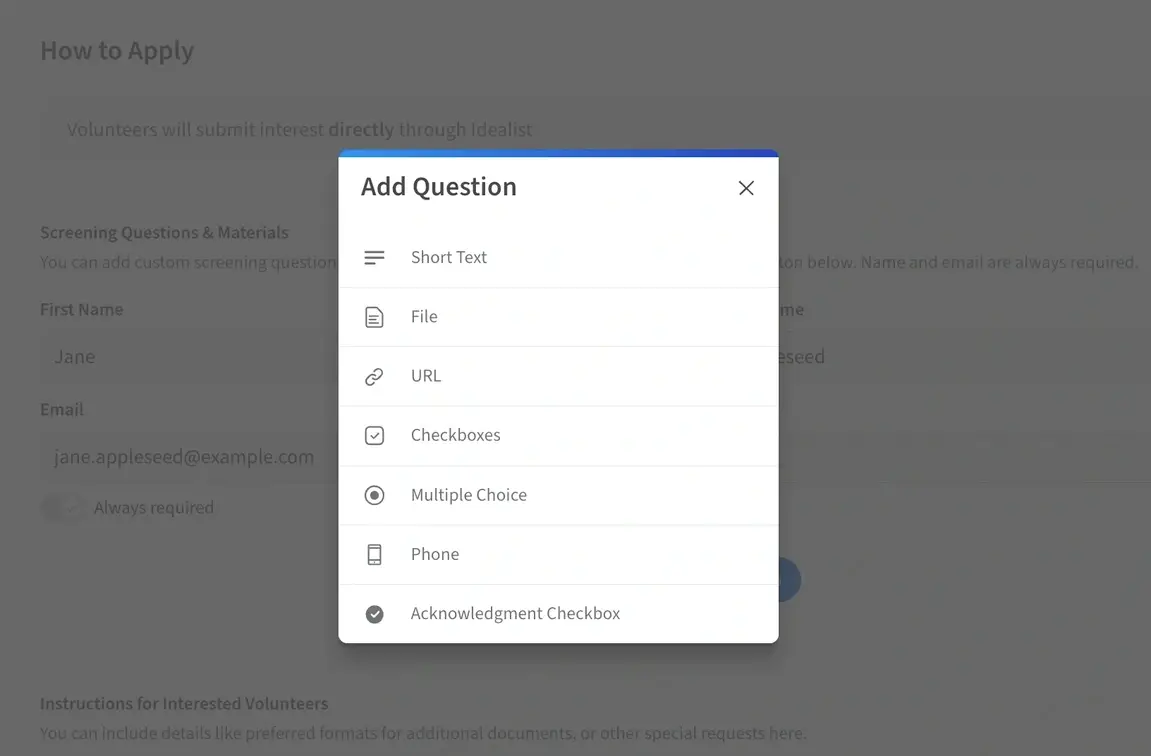
When you click the “+Add Question” button, a box will pop up allowing you to choose the additional application requirements you’d like to add.
You can choose to request:
- Short text: Allows you to add custom questions for applicants to answer.
- File: Allows you to request documents, like a Resume or Cover Letter.
- URL: Allows you to request a portfolio link or other URLs from applicants.
- Checkbox Responses
- Answers to Multiple Choice Questions
- Phone Number
- Acknowledgement Checkbox
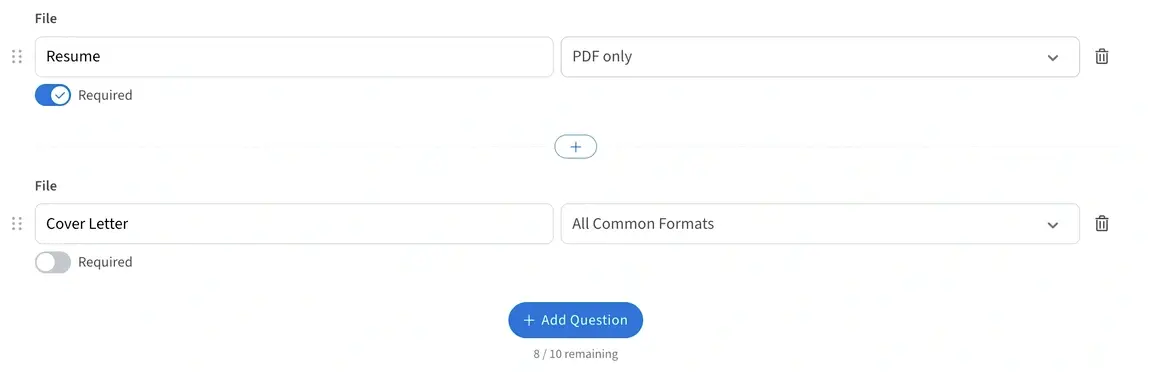
When you add a new item, choose whether you’d like it to be required (“Required” is toggled on in blue) or optional (“Required” is toggled off in grey). You can also choose whether you'd like to require that the file is submitted in PDF format or if you'll accept other formats such as a .doc file.
Additional Resources
Check out our other articles for more information on:
Have questions? Contact Us—we’re always happy to help!
