How do I manage notifications for my volunteer listing?

When tracking volunteers through Idealist, you’ll have the option to receive email notifications when new applicants express interest in your opportunity.
All administrators have the ability to receive notifications, unless one or more contacts have been assigned to a listing.
When you assign contacts to a volunteer listing, only those contacts receive instant email notifications when a volunteer expresses interest. Visit our other article for more information on how to assign a contact.
To adjust your notification settings, follow these steps:
1. Log in at idealist.org using an email address that has administrator access.
2. Click your name in the upper right corner of the page, then click “Notification Preferences” from the dropdown menu.
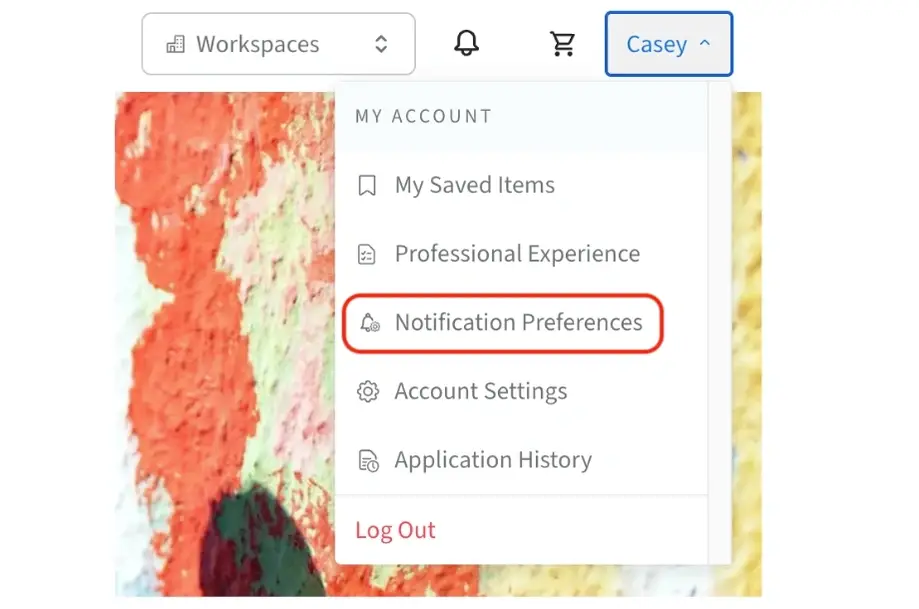
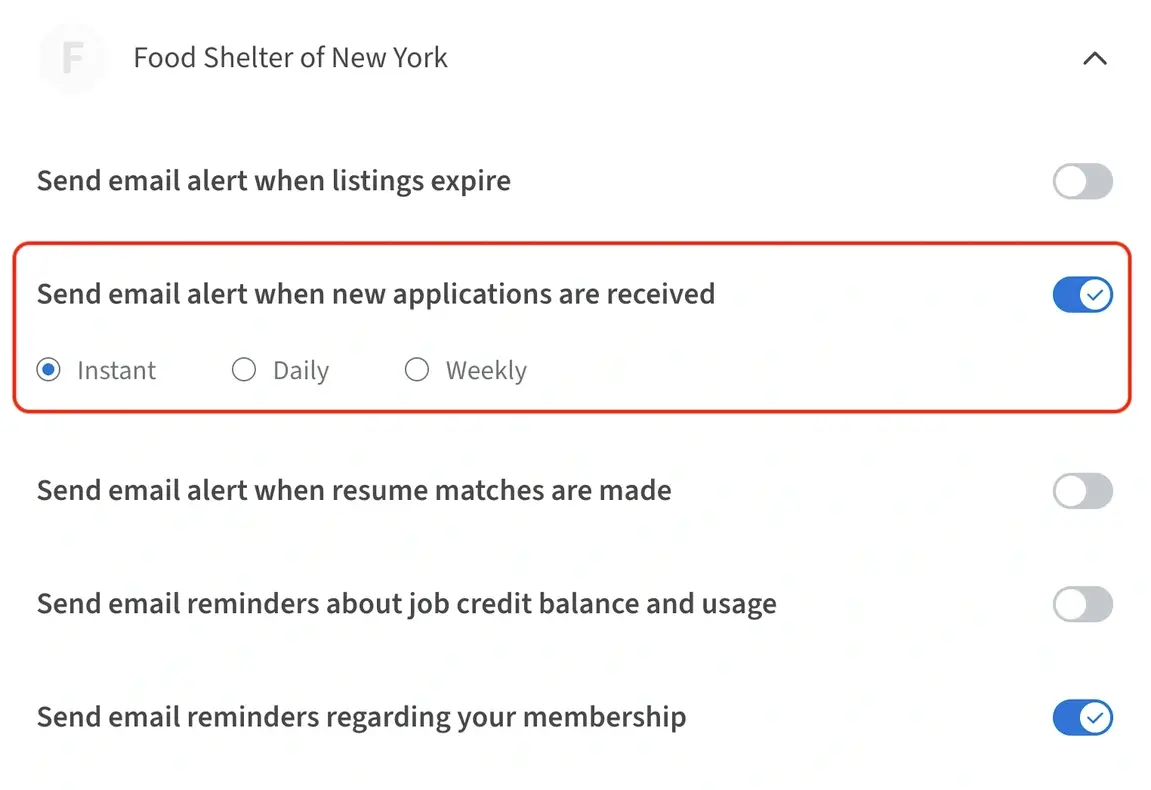
3. Click the down arrow next to your organization's name to expand your notification options. Adjustments here will change your notification preferences, but won't affect the notifications of any other administrators.
4. If you'd like to be notified via email, be sure the option to “Send email alert when new applications are received” is toggled on in blue, then select your preferred notification frequency: Instant, Daily, Weekly.
If you select Daily or Weekly, you’ll be emailed a list of all the applicants who expressed interest within that time frame. Each name will be hyperlinked to their application within your organization’s Dashboard, but the email itself won’t list any additional contact information.
If you’d like your email notifications to show the applicant’s contact information and other details from their application, be sure to select the Instant notification option.
Additional Resources
Visit our other articles for more information on how to post a volunteer opportunity, how to view applicants and how to manage administrators for your organization.
Don’t forget to check out our Volunteer Engagement Resources hub for webinars, recruitment resources and more.