

How do I renew my organization’s Annual Membership?

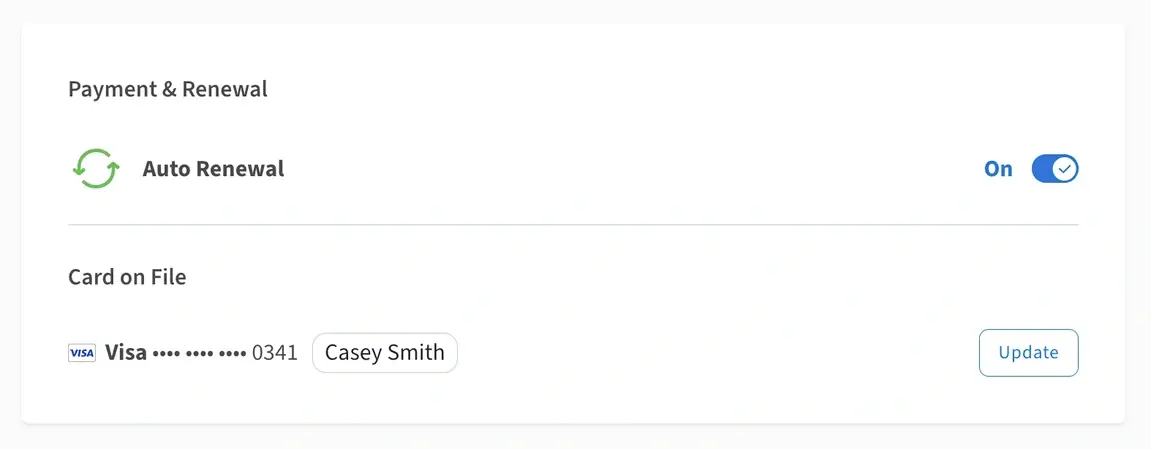
Your Auto Renewal setting can be managed in your organization’s Dashboard.
When your organization’s Auto Renewal setting is turned on, we’ll process your membership renewal on the date your membership expires using the credit card on file.
When your organization's Auto Renewal setting is turned off, you can renew your membership manually by heading to your organization’s Dashboard.
Don’t have a membership yet? Find out about the benefits of membership and how to purchase a membership.
To view your membership details, follow these steps:
1. Log in at idealist.org using an email address that has administrator access.
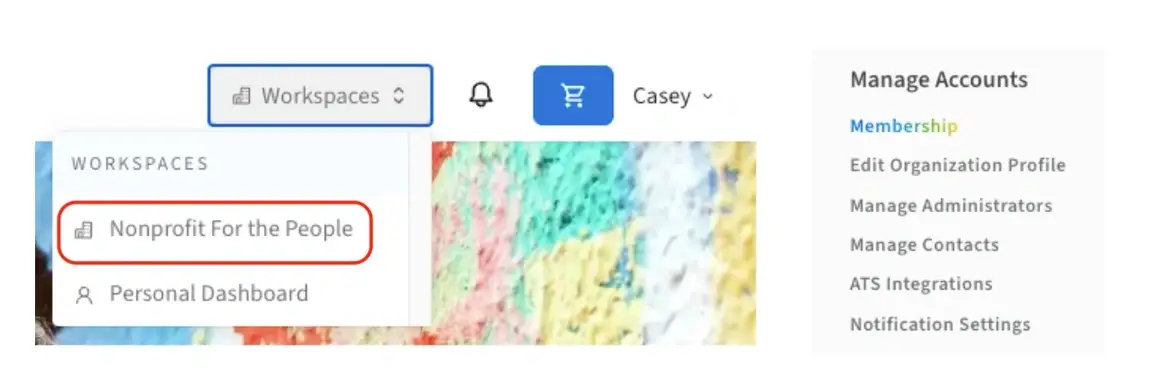
2. Navigate to your organization’s Dashboard by clicking “Workspaces” at the top right corner of the page and clicking your organization’s name from the dropdown menu.
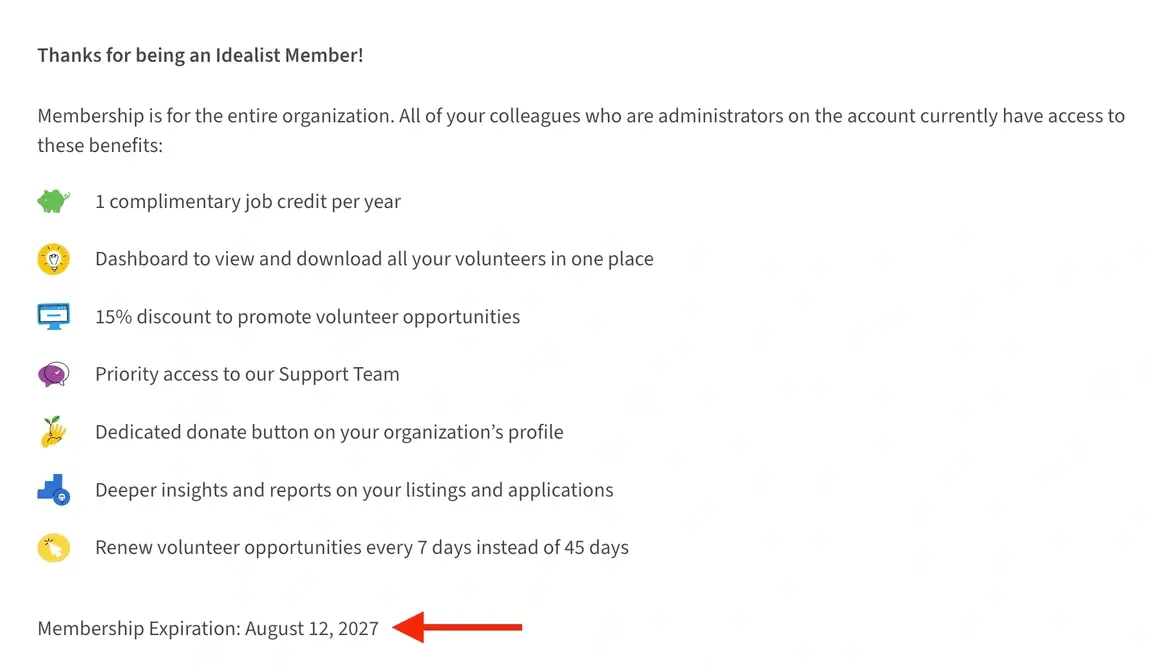
3. Select “Membership” from the menu on the left. You’ll see your membership expiration below your list of benefits.
How do I renew my membership manually?
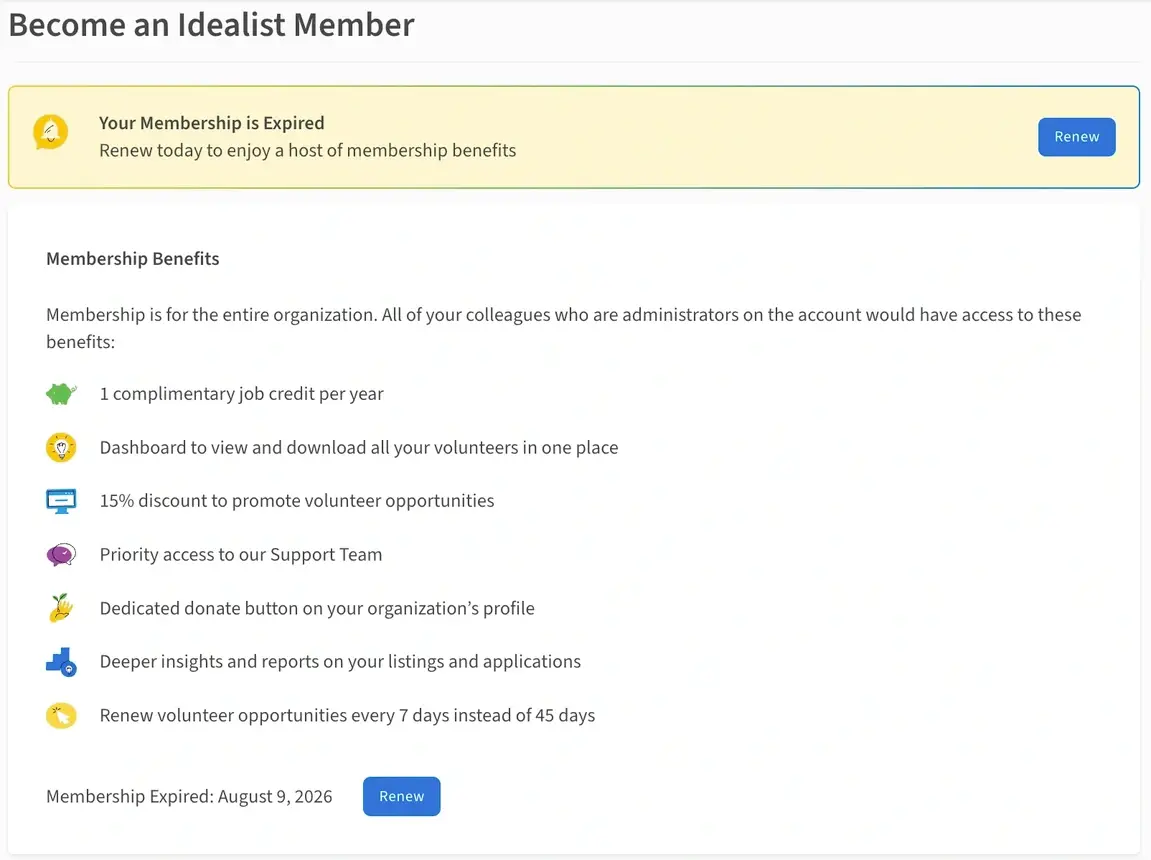
You can renew your membership up to 30 days in advance of your expiration by navigating to your organization’s Dashboard and clicking “Membership” from the menu on the left. If your membership has already expired, you’ll click “Become a Member” instead.
Then, click the blue “Renew” button and you’ll be led to your cart to complete the checkout process.
Can I receive email reminders about my membership?
Yes! Log in to Idealist and click your name in the upper right corner of the page. Click “Notification Preferences” from the dropdown menu, then click your organization’s name to expand your options.
Make sure “Send email reminders reminders regarding your membership” is toggled on.
Additional Resources
Visit our other articles for more information on:
Contact Us
Have questions? Contact Us—we’re always happy to help!