


Already found the perfect candidate? Hide your listing so that users can no longer find it on the site.
You can hide (or unhide) your listing at any point within the life of the listing. Hiding a listing removes it from public view; however, you'll still have access to it through your organization's Dashboard.
**Please note: Listings cannot be "paused." They will still expire at their original expiration date, even if you've hidden it. Check out our other article for more information on how long listings appear on the site.
Volunteer Listings
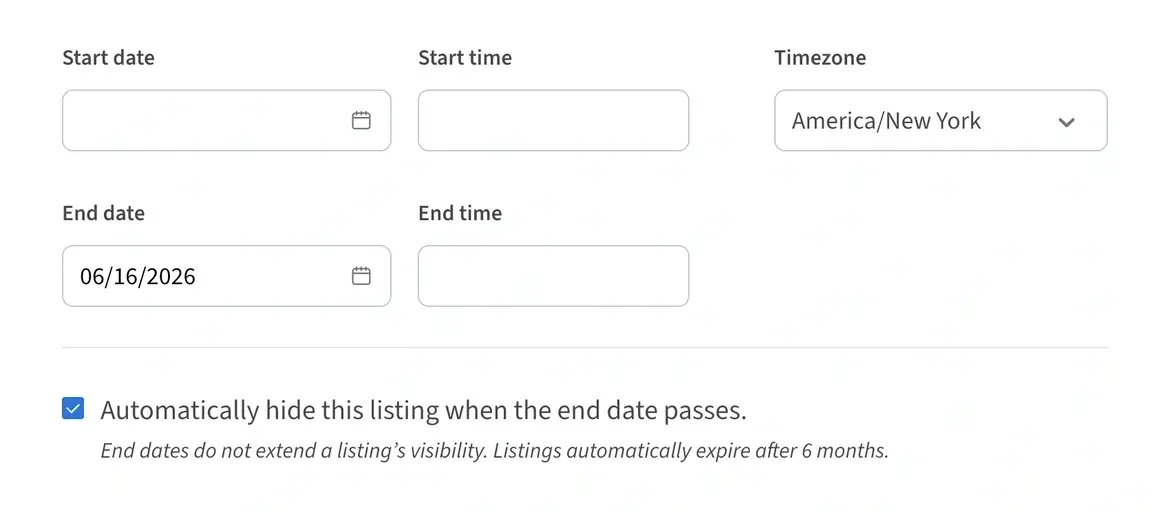
To automatically hide a volunteer listing, enter a date in the End date field, then check the box "Automatically hide this listing when the end date passes." Your listing will be automatically hidden from public view 1 day after the end date. It will still be accessible to you through your organization's Dashboard, so you can always renew the listing later if you need.
Manually Hiding a Listing
To manually hide your listing, follow these steps:
1. Log in to your Idealist account.
2. Click "Workspaces" near the top right corner of the screen, then select your organization’s name from the dropdown menu.
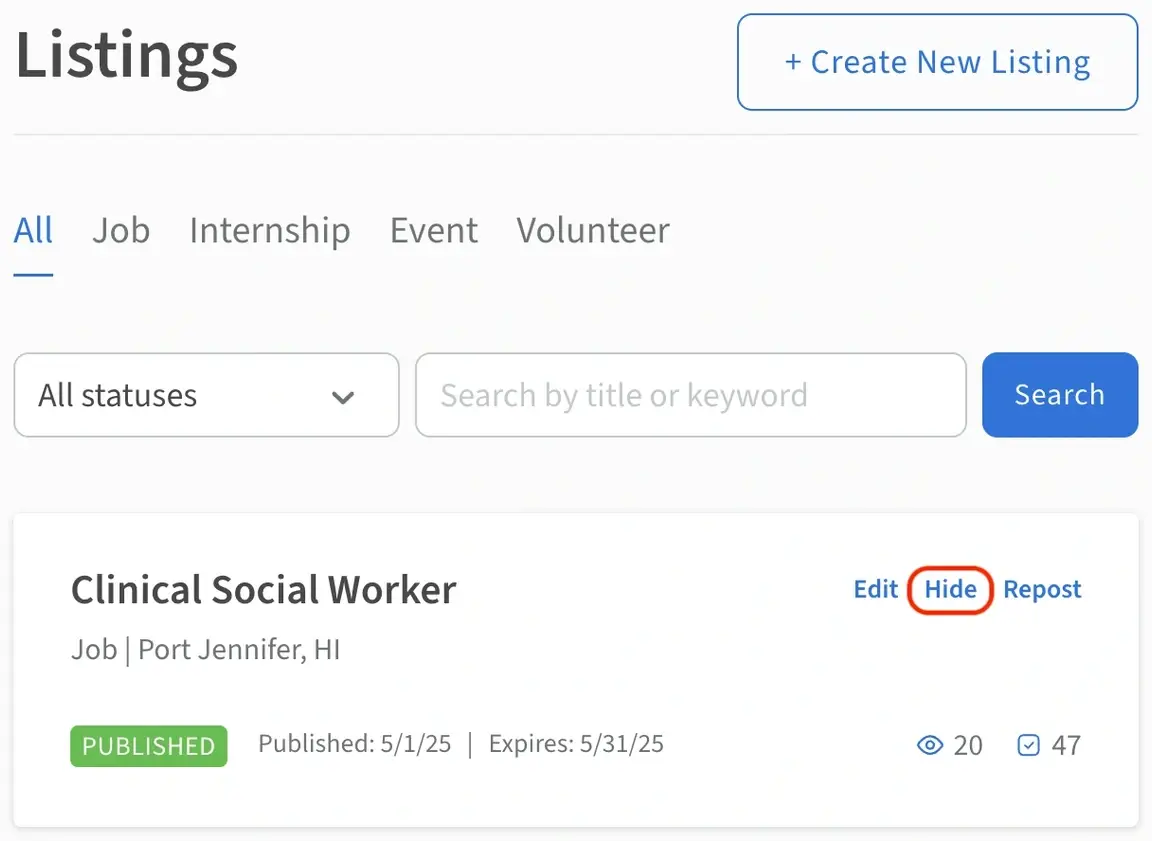
3. If you don’t already see your listings, you can click the “Manage Listings” tab from the menu along the left side of the page. Once you’ve accessed your Dashboard, scroll down to the listing you would like to hide. The status should currently say “Published” with a green dot next to it, so you know it is active right now.
4. To the right of the listing title, click "Hide."
5. If you'd like to unhide the listing again, simply navigate back to the listing and click “Unhide.”
You can also delete your listing by clicking on the listing’s job title in the "Manage Listings" section, then clicking the “Delete" button on the right side. However, hiding a listing is always the best option, since deletion is permanent and will mean you'll no longer see a record of the deleted listing.
