


Want to give your volunteer listing a refresh without posting a new copy? Use our Renew feature!
Renewing your listing updates the posted date, pushes it back to the top of search results and recirculates it through email alerts helping you reach more people.
To renew a volunteer listing:
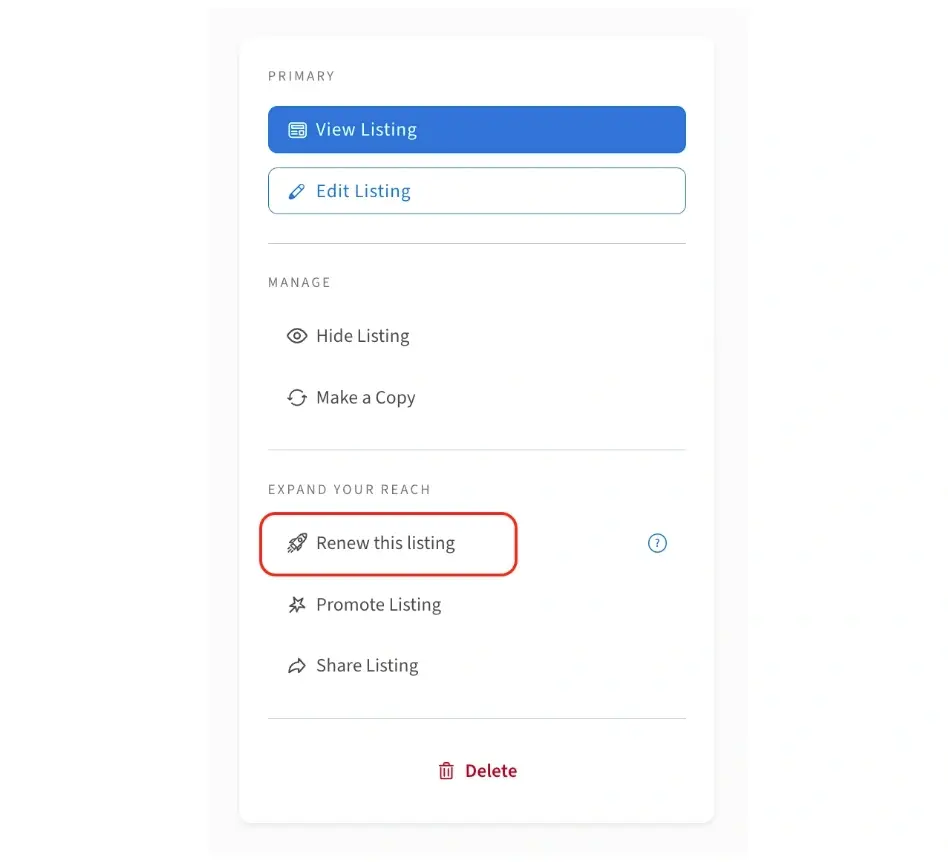
1. Log in to your Idealist account and click "Workspaces" near the top right corner of the page. Then, select your organization’s name from the dropdown menu.
2. If you don’t already see your listings, you can click “Manage Listings” from the menu along the left side of the page.
3. Click into the specific listing you’d like to renew, then click the “Renew this listing” link on the right. If the link is greyed out, this means your listing has not reached the renewal time frame just yet.
How often can I renew?
Organizations that have an Idealist Annual Membership have the option to renew their listings every 7 days. Organizations without an annual membership have the option to renew their listings every 45 days.
Visit our other article for more information on the benefits of membership and how to purchase an Idealist Annual Membership.
What happens if I don’t renew?
Renewing listings is optional. If you don’t renew your listing, it will remain live on the site with its original posted date until it expires. Volunteer listings on Idealist expire automatically 6 months after posting. You can always hide a listing earlier if you prefer.
Additional Resources:
Check out our other articles for more information on: